






















Tesla has with the integrated dashcam a feature that other manufacturers only offer for an extra charge or not at all. But while many Tesla-drivers know that the dashcam exists, the details are often unclear:
✅ Which cameras are used?
✅ How do I save an important video?
✅ What happens when the memory is full?
✅ Is this even legal?
Here you get all the answers - and a few insider tipsthat Tesla you won't find out at first glance! 😏
1. Tesla Dashcam - What is it actually?
The basics:
🔹 Tesla uses 4 of 8 cameras as a dashcam:
- Front camera (at the top of the windshield)
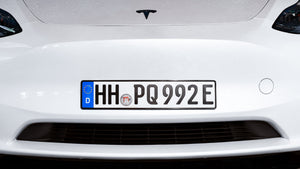
- Rear camera (above the license plate)
- Side cameras (in the mudguards)
🔹 Records automatically - but not permanently
- Tesla Saves only limited periods of time and overwrites old clips.
🔹 No sound! 🎤🚫
- The dashcam saves only video, but no sound.
Difference to guard mode?
➡️ The dashcam only runs when the car is switched on is switched on.
➡️ The Sentry Mode also works when the vehicle is parked.
2. Tesla Setting up the dashcam - here's how! 🛠️
Before you get started, you need a USB stick or an SSDto save the videos.
📌 Step 1: Prepare the USB stick
1️⃣ Original Tesla-stick or format your own
2️⃣ Go to "Vehicle" → "Security" → "Format USB"
3️⃣ Tesla automatically creates the "TeslaCam" folder
💡 Tip: A SSD instead of a USB stick use! SSDs are more durable and store data faster.
📌 Step 2: Activate the dashcam
1️⃣ Open the menu: "Vehicle" → "Safety"
2️⃣ Activate dashcam and select one of the three options:
- ✅ Save manually (you must tap on "Record")
- ✅ Automatically for security events (recommended!)
- ✅ Recording when the horn sounds (useful in dangerous situations)
🚨 Our tip: Activate "Automatic recording" & "Horn storage"! That way you don't have to think if something happens.
3. save dashcam videos - you need to know these tricks! 🎥
🔹 5-minute storage:
- Honk the horn or tap the dashcam icon - and the last 5 minutes are saved.
🔹 Save complete recording:
- In the menu "Vehicle" → "Dashcam" you can save the entire journey.
🔹 Videos on Tesla view:
- In the "Dashcam Viewer" you can watch the clips directly on the display.
- You can choose between switch between the 4 camera perspectives!
🔹 Read the USB stick on your PC/Mac:
- Simply pull out the stick and read the saved .mp4 files on your computer.
💡 Insider tip: If your Tesla does not show a red dot by the dashcam symbolsomething is wrong - probably the USB stick has not been formatted correctly!
4. what happens when the memory is full? 🏁
Tesla saves videos not unlimited. As soon as the stick is full the oldest files are overwritten.
🔹 Solution:
- Back up videos regularlybefore they are deleted.
- Use a larger USB stick or SSD (e.g. 128GB or 256GB).
💡 Tip: If you absolutely want to keep a certain video, save it manually on your PC!
5. Tesla Dashcam & data protection - is it even legal? ⚖️
The use of dashcams is illegal in Germany. legal gray area topic.
📌 What you need to know:
✅ Tesla only saves all recordings locally on your USB stick.
✅ The videos are NOT sent to Tesla or third parties!
✅ You can use the recordings for private purposes.
❌ But: Publication without consent can cause data protection problems.
💡 Tip: If you are involved in an accident, the dashcam can help to preserve evidence - but you can't just upload it anywhere!
6. Tesla Dashcam - Do I really need it? 🤔
🚗 Is it worth the Tesla dashcam?
Yes, absolutely! Tesla is one of the few manufacturersthat offers a dashcam ex works integrated.
🔹 Advantages:
✅ No expensive retrofitting necessary
✅ Automatic recording of evidence in the event of accidents
✅ Protects against false accusations
✅ Works without additional hardware
🔹 Disadvantages:
❌ No sound
❌ Limited memory, no cloud function
❌ Legal uncertainty in some countries
Conclusion: The Tesla Dashcam is an underestimated superpower! ⚡🎥
What you should take away from this guide:
✅ Activate the dashcam and choose the right mode!
✅ Use an SSD or a good USB stick to avoid crashes.
✅ Regularly back up videos before they are overwritten.
✅ Be careful with data protection & publication of videos!
With the Tesla dashcam you are always on the safe side - and have the decisive video evidence in an emergency. 📹🔥